How to Make a DJ Set: A Complete Beginner’s Guide

December 11, 2025
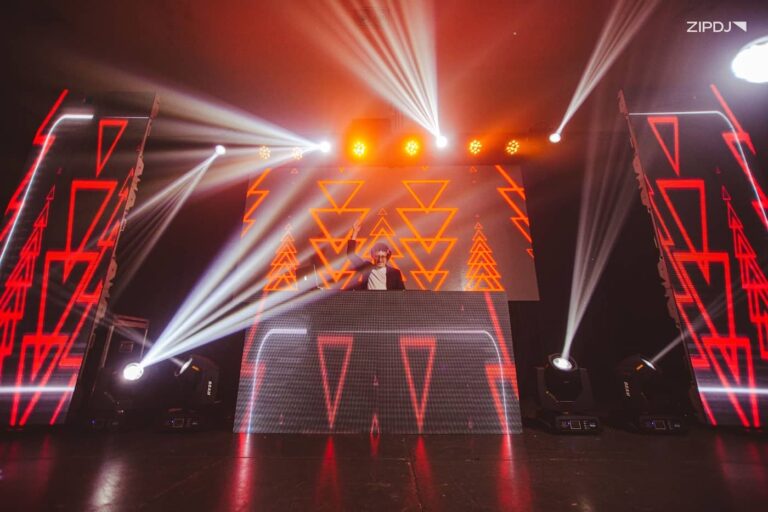
Learning how to make a DJ set is one of the most important skills for any DJ. It’s your chance to showcase your music taste, control energy, and keep people dancing.
From the initial track selection to the use of transitions and effects, it’s a creative process that can be refined over time.
In this guide, you’ll learn exactly how to build a DJ set, from track selection and structure to using your software to deliver a smooth, engaging performance.

What Is A DJ Set?
A DJ set is a curated sequence of pre-recorded music tracks mixed into a seamless flow using a range of transitions.
Structured to maintain momentum and flow, DJ sets can span all music genres and cater to a variety of core audiences.
The process uses a range of equipment, from core DJ software to hardware such as DJ controllers, mixers, CDJs, and turntables.
The best DJs are adept at responding to the crowd, with some blending DJ sets with live sets by incorporating live hardware and instruments.
Types Of DJ Sets
The art of DJing can be applied to a variety of settings, with different types of DJs focusing on specific genres and audiences.
Here’s an overview of the primary types of DJ sets performed in various venues and settings:
- Club and festival DJ sets: Performing in established nightclubs and global festivals, the best club DJs showcase high-level mixing skills and draw millions of listeners.
- Wedding and mobile DJ sets: Gigging at weddings, private parties, and corporate events with a mobile DJ setup is another popular option for those looking to make a career as a DJ.
- Livestream and radio DJ sets: Some DJs avoid performances in venues, opting to DJ on traditional and digital radio shows or livestreaming platforms like Mixcloud.
- Bedroom or beginner DJ sets: Most DJs start with budget-friendly home DJ setups, learning the ropes before seeking out venue-based gigs.
Many DJs practice for one or more of these types of sets, particularly professionals who perform regular gigs for clients and venues.
Learn more: How to start a DJ business.
How To Make A DJ Set: Step-By-Step
Whether you’re DJing for fun or building a professional skill set for live venues, the process of creating an excellent DJ set is the same.
Here’s how to make a DJ set that elevates your track selection with a range of mixing techniques and keeps listeners engaged.
Step 1: Understand The Event’s Audience
Visit any nightclub or other type of DJ venue, and you’ll be instantly aware that each has its own distinctive vibe and style.
Whether you’re planning a set for a paid gig or a house party, understanding the nature of the event is the first step to building a set.
Underground techno events, birthday parties, and corporate gigs all include songs every DJ should have to get the crowd excited.
By researching the venue’s prior roster of DJs and the target audience, you can start building a DJ music library that fits the bill.
This can be enhanced by broader research into the DJs who define dance music or those working in your chosen genre.
Step 2: Plan Your DJ Mix Structure
With a clear view of your target audience and the venue’s expectations, it’s time to plan the overarching structure of the DJ set.
This includes the dominant genre you’re playing and how your structure will keep things flowing on the dancefloor.
Start by selecting your must-play tracks and use these as the anchor for the set’s general structure, with strong opening and closing songs.
As you build out the track selection around these songs, you can craft a playlist that tells the audience a story.
You can also use this process to find new music that matches your style and reflects current tastes and trends.
Recommended read: DJ mixing for beginners.
Step 3: Consider The Pace & Energy Levels
Throughout the process of building out the structure of your DJ set track list, consider how each song impacts the pacing and energy levels.
On a basic level, this involves finding the BPM of songs to ensure they can be mixed into the next track without mismatching.
You can also select tracks by key and other criteria, depending on your level of experience and desired results.
If you’re DJing in clubs, you’ll need to strive for great music that flows between different energy levels, hitting highs at peak time.
On the other hand, a chillout set will aim for certain tracks that blend harmoniously, without the big drops found in electronic music sets.
Step 4: Organize Your Music Library
Whatever pacing and energy levels you’re looking for, you should organize your playlists so you can find a particular track with ease.
This can include a range of parameters, from artists and record labels to music genres, tempo, and other song elements.
If you’re a DJ focused on performing for clients at parties and other private events, you can expand this to include the most requested songs.
DJ software, such as Rekordbox and Serato DJ Pro, includes powerful library management tools that can streamline this process.
This allows you to choose tracks for multiple playlists based on upcoming gigs, adding more tracks based on audience reactions.
Step 5: Master Transition Tracks
The creative heart of a DJ set is the transitions, when two tracks come together seamlessly to create a continuous flow.
Whether using basic software or one of the best DJ mixers, the fundamentals of transition tracks remain the same.
Start by mastering hot cues and beat matching, then experiment with build-ups and transitioning from one track to the next.
Different transitions work better for various genres, so use trial and error to see what makes sense and what doesn’t.
For a more casual DJing experience, start with basic apps like Apple Music’s AutoMix to get a feel for smooth transitions.
Step 6: Experiment With DJ Effects
Once you’ve got a grasp of some of the basic DJ EQing and transition techniques, you’re ready to experiment with more effects.
Reverb, chorus, and filters are excellent ways to introduce texture and atmosphere to the same track with minimal effort.
If your equipment includes the feature, you can also explore DJ stems, separating drums, vocals, instruments, and other music elements.
When mastered, this tool can be used to create a new track from your existing library, essentially remixing songs on the fly.
You can also combine effects with advanced DJ techniques, such as incorporating scratching for hip-hop and drum and bass sets.
Step 7: Incorporate Harmonic Mixing
On the subject of advanced DJing techniques, harmonic mixing is a popular method that DJs use to enhance their sets.
Harmonic mixing takes each song’s key and uses it as a foundation to create pleasing transitions between melodies and harmonies.
If your playlist tools don’t include key information, you can use online tools such as the Camelot Wheel to help pair harmonically compatible songs.
While harmonic mixing can be challenging to learn, it can significantly enhance DJ sets that emphasize vocals and melodic arrangements.
Step 8: Read The Crowd
While performing at home can help with learning the basics, mastering the art of DJing requires an understanding of how to read the crowd.
Since most DJs don’t play their favorite music at gigs, they must develop a keen instinct that goes beyond personal taste.
Reading the crowd allows DJs to switch things up at a moment’s notice, particularly if the audience appears to be losing interest.
It’s also a necessary skill for wedding and other event DJs, who take requests and gauge clients’ and guests’ tastes.
By incorporating these responses into your future sets, you can formulate new set lists with songs that deliver results.
Step 9: Have Backup Tracks
Every gigging DJ likely has at least one horror story about a set gone wrong, whether through equipment failure or poor preparation.
While equipment failure can be considered an Act of God, failing to have a Plan B for track selection is avoidable.
When organizing your music, take the time to create a list of backup tracks in the event your primary set list isn’t landing as intended.
This can include tried-and-tested club classics, chart-topping pop songs, or golden oldies, depending on the nature of your DJ set.
It pays to stay on top of the latest music trends when deciding what to include, along with the time slot and genre you’re performing in.
Step 10: Share & Gather Feedback
Gathering and acting upon constructive feedback is key to growth in all creative activities, and making a DJ set is no exception.
Feedback from friends, venue owners, and other DJs will highlight technical errors and suggest new tracks to include in the future.
This will improve your ability to stay relevant as a DJ by showcasing unique new songs that keep listeners coming back for more.
Engaging with industry professionals, booking agents, and venue owners online will also make it easier to get your music heard where it counts.
Discover more: How to dress like a DJ.
Tips For Making A Great DJ Set
If you’re making your first DJ set or venturing into a professional career, there are several ways to improve the process.
Here are some tips for making a great DJ set that keeps them fresh and exciting for the audience:
- Listen to sets from your favorite DJs: Hearing how famous DJs structure tracks will help you build your DJ mixes to deliver maximum impact.
- Use multiple sources for music: The best DJs play music from a range of sources, building libraries of digital downloads and physical media like vinyl records.
- Balance popular hits with obscure gems: Not every song in a set needs to be a big hit that everyone in the audience has heard before. Mixing things up with hidden gems will keep it fresh and differentiate it from the competition.
By perfecting your set list and showcasing an eclectic taste in music, you can make money as a DJ and build a career.
Where DJs Find New Music
With dozens of online music stores to scour through, as well as streaming services and physical releases, DJs have plenty of music resources.
Here are some options for finding music when planning a house party or building a library as a professional DJ:
- Digital stores: Beatport, Bandcamp, and Juno Download are a few examples of online stores with extensive catalogs of digital downloads spanning all popular genres.
- DJ pools: For a monthly subscription fee, DJs can join a DJ pool for unlimited access to exclusive content ready to use in commercial settings.
- Brick-and-mortar stores: If you’d prefer to shop in person, there are dedicated stores for vinyl records and CDs, and thrift stores can also sell rarities.
You can also use music discovery websites to branch out into new genres and find artists that fit into your DJing style.
Read this next: DJ set vs playlist: key differences.
Essential Software & Tools For DJ Sets
Planning and preparing a DJ mix is easy with the right tools, and most software can deliver impressive results.
These are some of the best tools for DJ sets, from software to mix music for free to tools used by professional DJs:
- Free-to-use DJ apps: For a casual and beginner-friendly approach to DJing, you can use free apps and software like Mixxx, WeDJ, and YouDJ.
- Advanced DJ software: If you want to DJ like the pros, Serato DJ Pro, Pioneer DJ Rekordbox, and Traktor Pro are widely used among DJs.
- DJ controllers and mixers: While it’s easy to DJ with a laptop, adding a dedicated controller for hands-on mixing elevates the experience to new heights.
With advanced hardware controllers continuing to emerge, the scope for creative and original DJ mixes has never been broader.
Summary
Mastering how to make a DJ set starts with choosing the right music to guide your audience and shape the mood.
With modern DJ software and endless new releases, creating professional-sounding mixes is more accessible than ever.
By following the steps in this guide and refining your skills, you can create DJ sets that keep your fans coming back.
Not a member ?
Join Today for Unlimited Music Downloads. Visit zipdj.com for more information.