The Professional’s Workflow: A Masterclass in Digital Music Management

November 11, 2025
Hey ZIPDJ community! Have you ever looked at a professional DJ’s music library and wondered how they keep thousands of tracks perfectly organized? How they can find that one specific song in a matter of seconds, or seamlessly transition between genres without missing a beat?
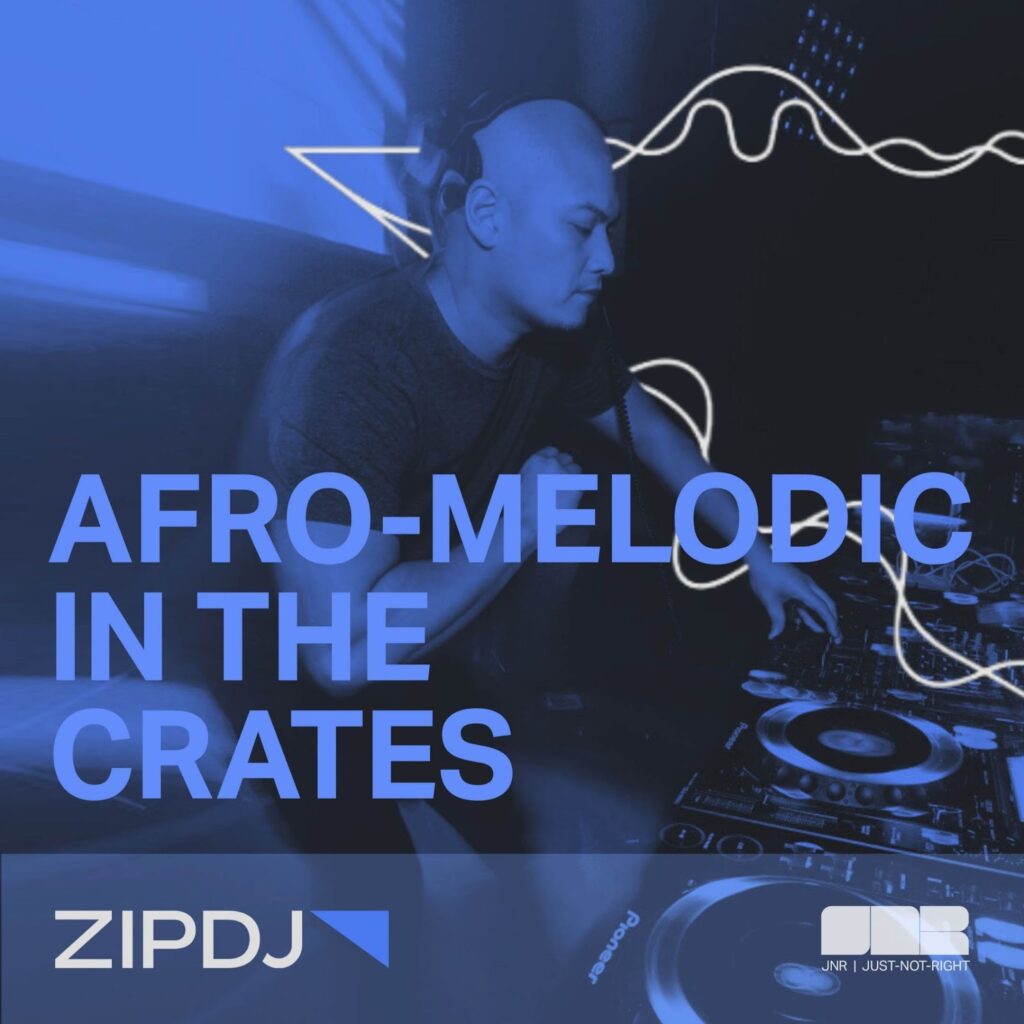
Today, we’re pulling back the curtain on the workflow of a true master. For our first “Curator Spotlight” series, we’re sitting down with Toronto’s JNR | Just-Not-Right, a DJ whose professional career spans over two decades. Having moved from a physical vinyl collection in the ’80s to a primarily digital setup since 2005, JNR has spent years refining a system that is the epitome of efficiency, a testament to the idea that a great DJ’s most valuable tool isn’t their gear—it’s their brain.
This is more than just a tutorial; it’s a masterclass in professional music management. JNR is sharing his detailed, step-by-step process, revealing the rationale behind every decision and demonstrating how a meticulous workflow is the foundation for creative freedom.
Phase 1: Controlled Intake – The Crucial Staging Area
JNR’s process begins the moment a new track is acquired. He understands that a cluttered desktop is a mental burden that can kill creativity before a session even starts. To combat this, he keeps his initial intake system simple and intentional.
- The Discovery Area: Using ZIPDJ as his main source for music discovery
- The Staging Area: All new music is first placed in a temporary subfolder within his downloads. The rationale here is simple yet critical: it acts as a “quarantine zone” for new files. By keeping them separate, he ensures his main, gig-ready library remains clean and organized. This also gives him a dedicated space to process new music without the pressure of immediately filing it away.
- Serato for Simplicity: From this temporary folder, he drags the new music into Serato DJ Pro. The choice of Serato for this initial step is deliberate. “I use Serato DJ Pro to preview, analyze and genre tag my music,” JNR explains. “I keep things very basic at this point.” Serato’s quick, intuitive interface allows him to rapidly listen to a track, get a feel for its energy, and apply a broad genre tag. This is the first, most fundamental layer of categorization, turning raw files into usable assets.

Phase 2: The Foundational Folder Structure – Building the Digital Crates
Once the initial analysis is complete, JNR moves the files out of the “staging area” and into their permanent homes. This is the bedrock of his entire system, built to mimic the physical crates of a vinyl collection.
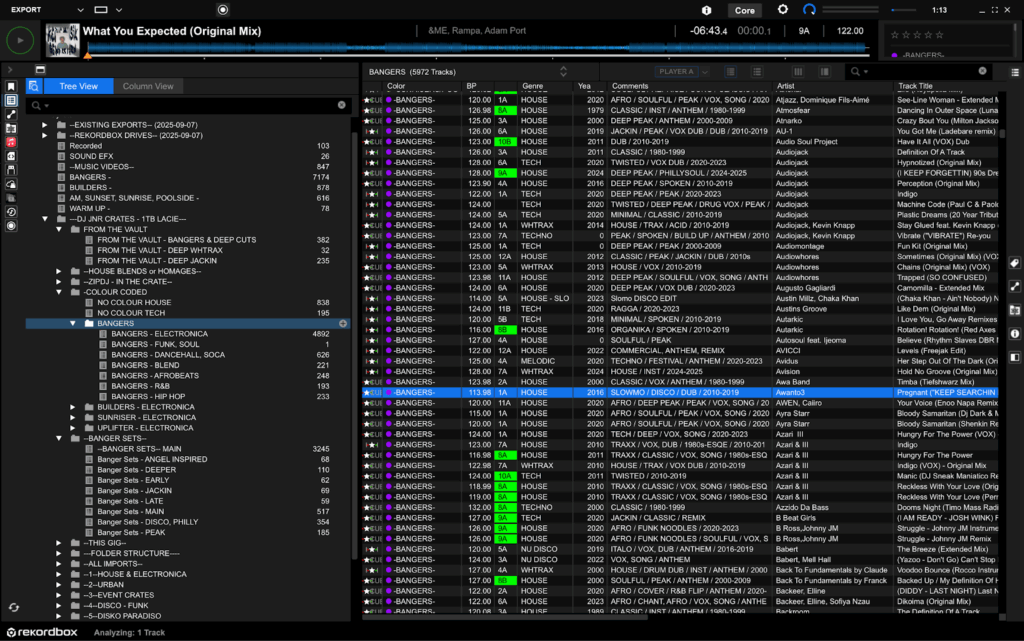
- Physical Folders for Digital Crates: JNR maintains a simple, logical folder structure on his external SSD. He keeps the genres broad and timeless to avoid over-complication. His core folders include: HOUSE, TECH, NU DISCO, HIP HOP, FUNK/SOUL, RETRO, DANCEHALL, REGGAE, LATIN, REGGAETON. This simple organization ensures his library is intuitive to navigate, regardless of the software he’s using. He reinforces this by creating crates in Serato that mirror this exact folder structure, ensuring a seamless, intuitive link between his digital files and his DJ software.
- The Two-Software Powerhouse: This is where JNR’s workflow becomes truly unique, providing him with a powerful redundancy and enhanced functionality. After his initial Serato analysis, he takes his library and imports it into Rekordbox. By doing so, he establishes a unified folder structure across both platforms. While he highlights that tools like DJ Conversion Utility can help other DJs transfer cue points and grids, his core methodology relies on a consistent folder foundation in both platforms, which then allows him to leverage the best features of each.
Phase 3: The Secret Sauce – The Power of Metadata and Color-Coding
This is the phase that transforms a simple music collection into a finely tuned instrument. JNR uses Rekordbox’s powerful metadata system to add a level of detail that allows him to mix creatively and intuitively on the fly.
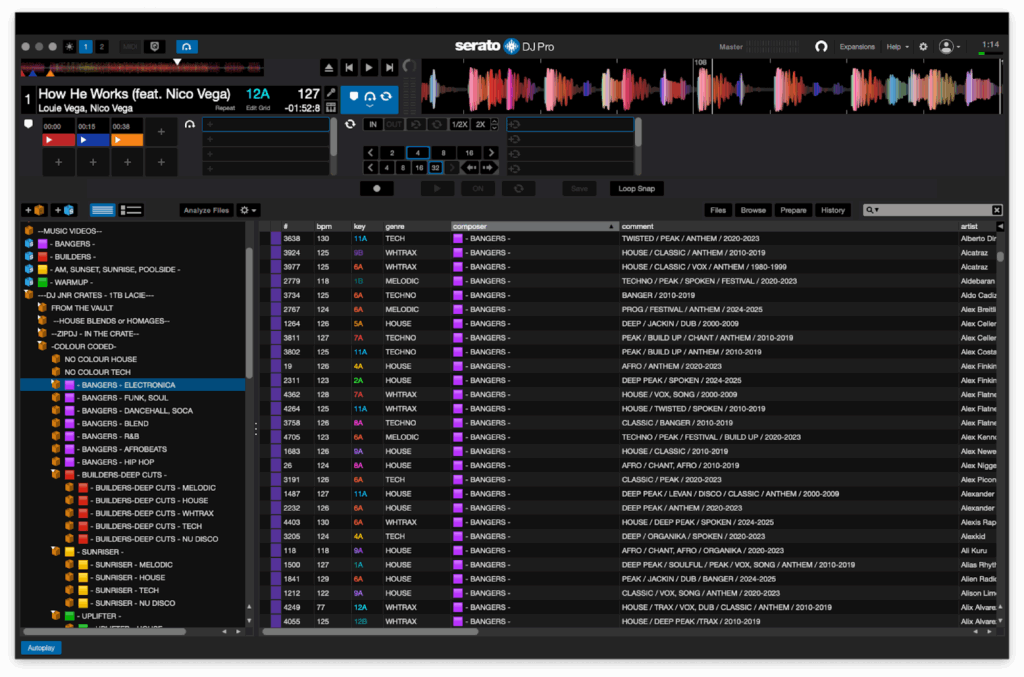
- Custom Tags for Instant Recall: JNR creates a custom set of “My Tags” in Rekordbox. By toggling the “Copy My Tags to Comments” setting, this rich data becomes visible in Serato as well, ensuring consistency across his entire system. His custom tags go far beyond basic genre, providing crucial information at a glance:
- SUB-GENRE: AFRO (for Afro House), DEEP, CLASSIC, BOOM BAP, TRAP, ROOTS. This allows him to quickly narrow his search within a broad genre.
- VIBE: DEEP PEAK, BUILDER, BANGER. This tag is a game-changer, allowing him to quickly find the right energy for a specific moment in his set, regardless of genre.
- CONTAINS: VOX, SONG (a full vocal track), VOX, DUB (a more sample-based vocal loop), SPOKEN, CHANT, AFRO, INST (instrumental). This lets him know at a glance if a track is suitable for an acapella or a seamless instrumental blend.
- CONTEXT: WARM UP, BUILD UP, PEAK TIME, COOL DOWN, AM (for outdoor/poolside). This tag is invaluable for pre-gig preparation and adapting to a room’s energy on the fly.
- The Power of Color-Coding: JNR assigns colors to his tracks based on their mood and energy, turning his library into a visual map of his set. This allows for a deeper, more intuitive form of mixing.
- PURPLE: Peak Time Bangers (the high-energy, must-play tracks).
- RED: Builders (tracks that build energy and create space, used to transition between peaks).
- YELLOW: AM, Sunset, Sunrise, Poolside Vibes (the chill, feel-good tracks).
- GREEN: Warm-Up (the tracks to get things started).
Phase 4: The Gig-Ready Library – From Curation to Creative Freedom
With his library now fully tagged and color-coded, JNR can move beyond simple, chronological playlists. He organizes his music into year ranges (2024-, 2020-2023, etc.) for easy access to new sounds while also having a deep back catalog.
- Mixing by “Vibe & Colour”: “I now curate and freestyle my sets based on VIBE & COLOUR more than GENRE,” he explains. This is the culmination of his entire workflow. By relying on his advanced tagging, he can intuitively select tracks that fit the mood, regardless of their genre. This avoids falling into the “crutch” of playing the same playlists and keeps his sets fresh and unpredictable, allowing for pure creativity.
- The Dual-USB System: For gigs, JNR uses two USBs: one for his all-time classics and one for his current tracks (from the last three years). This simple, yet brilliant, system ensures he has both a reliable foundation and an up-to-date arsenal.
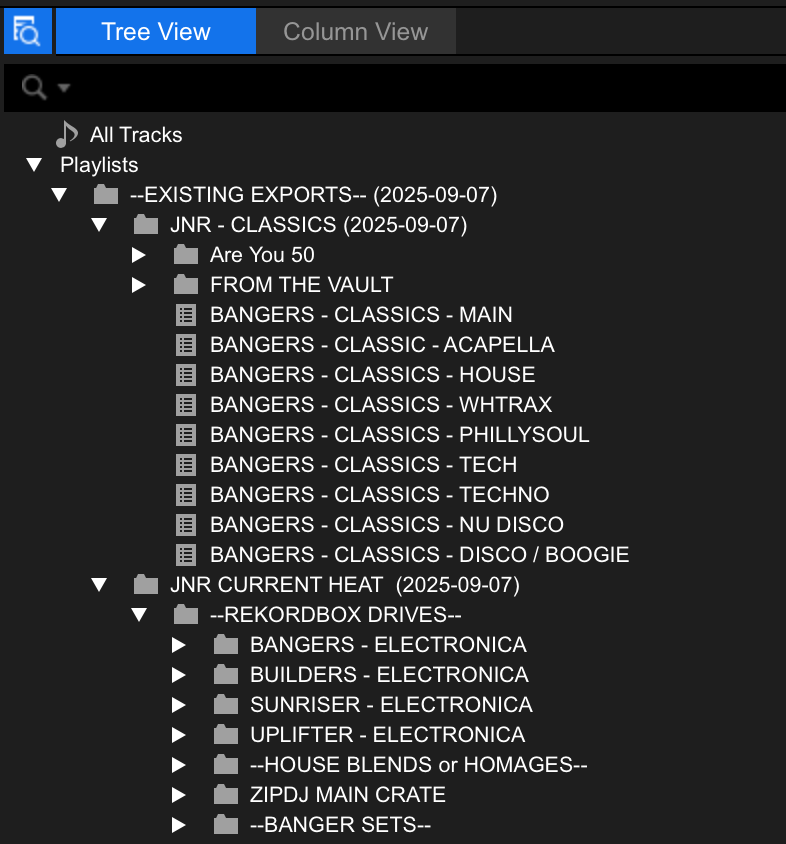
- Always Pushing New Sounds: As a ZIPDJ curator, JNR’s playlists are always at the top of his tree. He actively makes a point of working these new, exclusive sounds into his sets. This commitment to discovery is what keeps his sets on the cutting edge and solidifies his reputation as a tastemaker.
JNR’s system proves that professional DJing is a continuous cycle of discovery, organization, and creative application. It’s a masterclass in turning digital clutter into a professional, powerful, and artistic tool.
Not a member ?
Join Today for Unlimited Music Downloads. Visit zipdj.com for more information.